
Your robots.txt is the front door for AI crawlers, and each vendor ships its own tokens, so blocking the wrong one costs you citations. The most expensive mistake is a blanket rule that opts you out of AI answers when you only meant to opt out of training. This cookbook lists every major AI crawler with its exact token, explains what blocking each one changes, gives you copy-paste recipes, and shows how to verify a crawler is really who it says it is.
What is robots.txt and how do AI crawlers use it?#
robots.txt is a plain text file at the root of your site that tells crawlers which paths they may request. Most reputable AI crawlers read it and honor it; some do not, and user-triggered fetchers are documented exceptions. robots.txt is a published request that well-behaved crawlers respect, not a wall that enforces itself. So it is the right first tool, backed up by server-level controls for the crawlers that ignore it. Prefer’s free robots.txt generator writes the file with presets for 14 named AI crawlers, and its Agent Analytics shows which crawlers actually visit.
To control a specific AI crawler you address it by its exact user-agent token. A token that is misspelled, or that a vendor never published, matches nothing and silently does nothing, which is why the exact strings below matter.
What are the exact AI crawler tokens?#
Here is every major AI crawler, its operator, what it is for, and what changes when you block it. Tokens are drawn from each vendor’s current documentation, accessed September 5, 2026 (see Sources).
| Token | Operator | Type | What blocking it changes |
|---|---|---|---|
GPTBot | OpenAI | Training | Opts you out of OpenAI model training. Does not affect ChatGPT search. |
OAI-SearchBot | OpenAI | Answers | Removes you from ChatGPT search answers. OpenAI says the page can still appear as a navigational link. |
ChatGPT-User | OpenAI | User-triggered | May not apply; OpenAI says robots.txt may not cover user-initiated fetches. |
ClaudeBot | Anthropic | Training | Opts you out of Anthropic model training. |
Claude-SearchBot | Anthropic | Answers | Stops Anthropic indexing your pages for Claude’s search. Anthropic says this may reduce your visibility in its search results. |
Claude-User | Anthropic | User-triggered | Stops Claude fetching your page when a user asks about it. Anthropic says this may reduce your visibility in user-directed web search. |
PerplexityBot | Perplexity | Answers | Removes you from Perplexity’s results and citations. |
Perplexity-User | Perplexity | User-triggered | Generally ignores robots.txt, since a user requested it. |
Google-Extended | Training + grounding | Opts you out of Gemini training and of grounding in Gemini Apps and Vertex AI. Does not affect Google Search or AI Overviews. | |
Bingbot | Microsoft | Answers + search | Removes you from Bing search and Microsoft Copilot. |
Amazonbot | Amazon | Training | Opts you out of Amazon product and AI-model use. |
CCBot | Common Crawl | Training | Opts you out of the open Common Crawl corpus many trainers use. |
Bytespider | ByteDance | Undocumented | Meant to opt out of ByteDance collection; compliance is not guaranteed. |
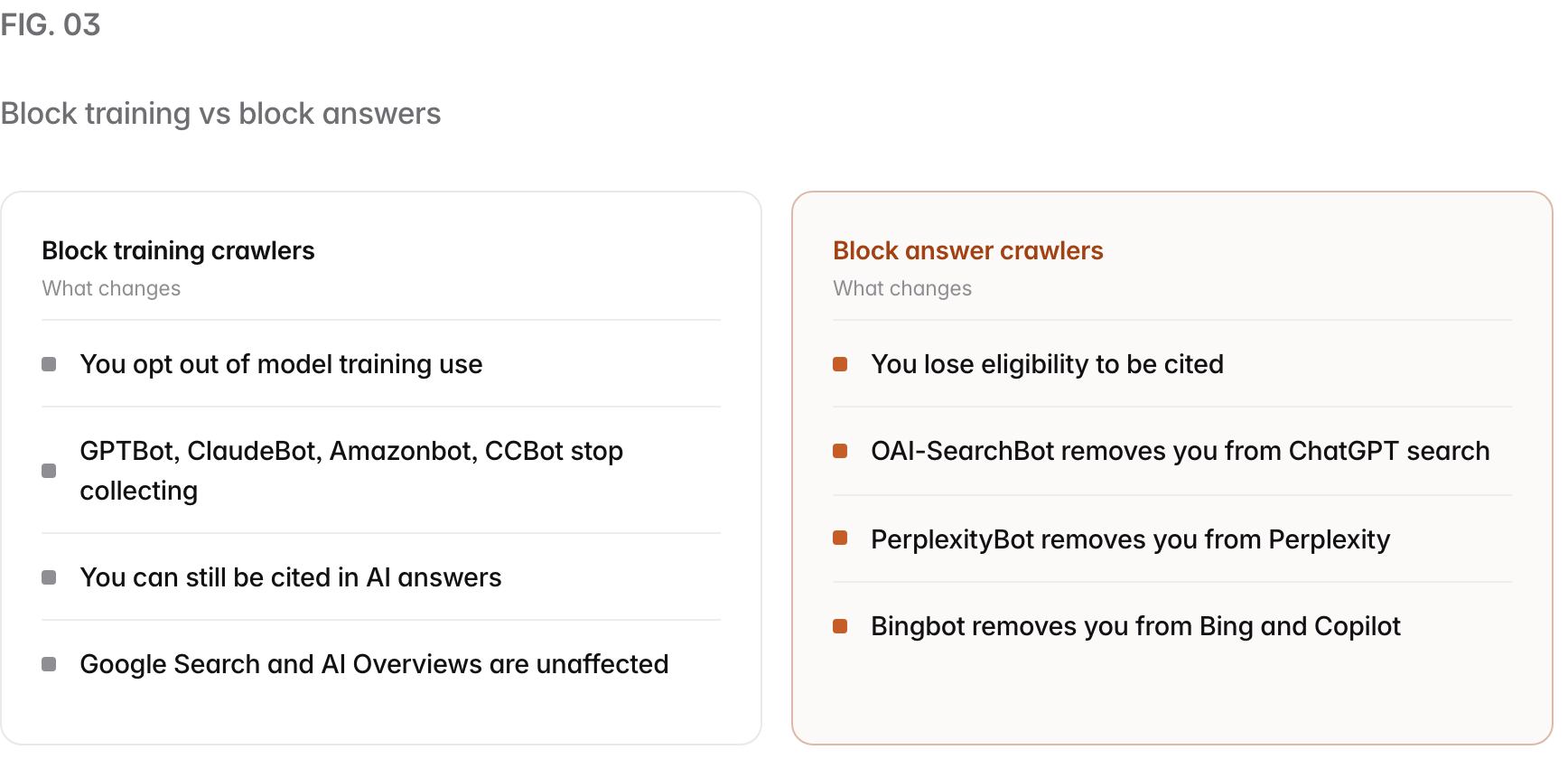
The single most important row is the difference between training and answers. Blocking a training crawler opts you out of model training; blocking an answer crawler removes you from that engine’s citations. Confusing the two is how sites accidentally make themselves invisible to AI search.
Two Anthropic tokens still show up in older guides and robots.txt files: Claude-Web and anthropic-ai. Both are retired. Anthropic told 404 Media in July 2024 that neither is in use, and its crawler help page now lists only ClaudeBot, Claude-SearchBot and Claude-User. Anthropic said at the time that ClaudeBot would respect blocks written for the old names, but write your rules for the three current tokens.
What are the four kinds of AI crawler?#
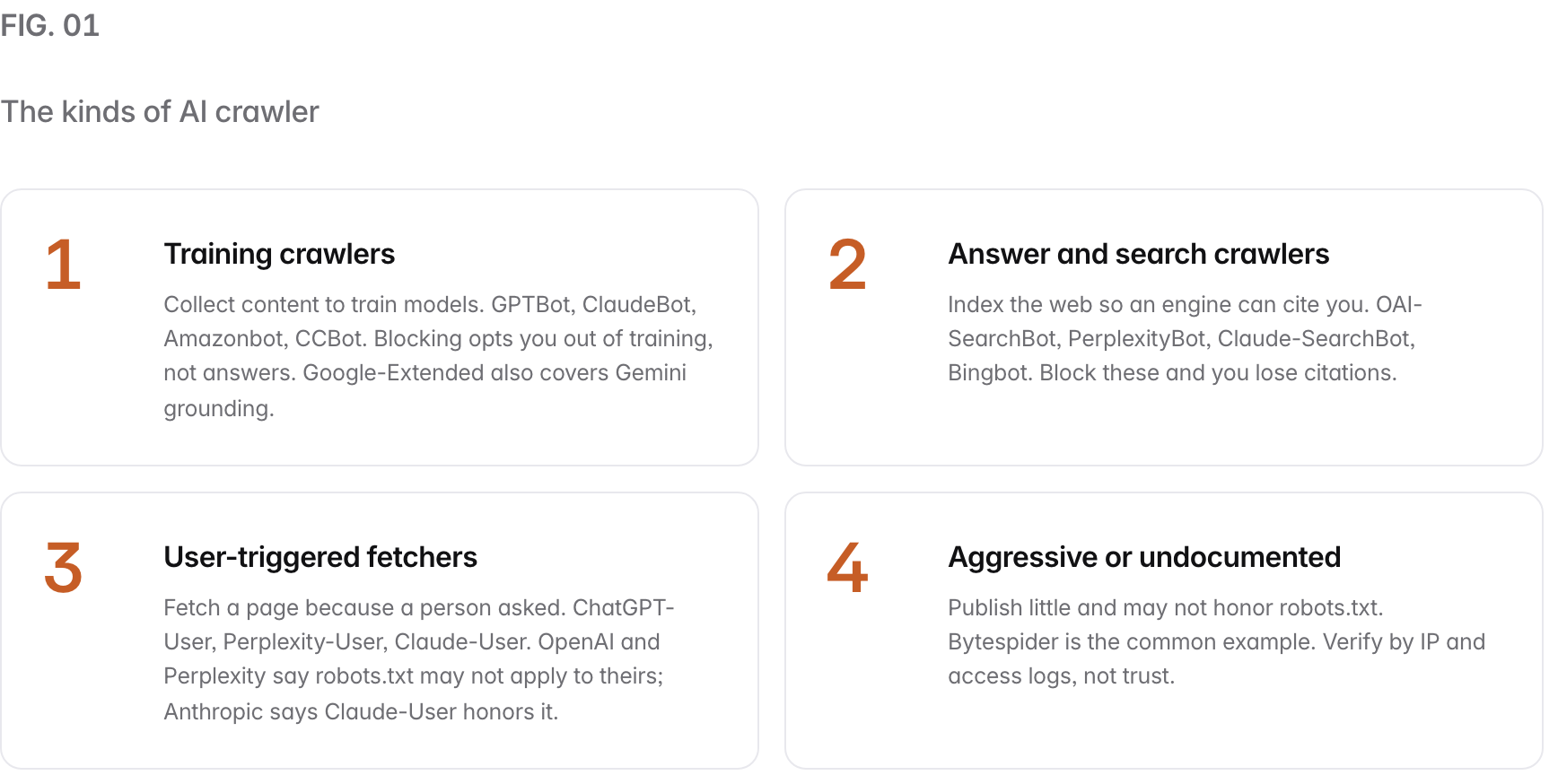
Every token above fits one of four buckets, and the bucket tells you what a block will and will not do.
Copy-paste robots.txt recipes#
Pick the recipe that matches your goal, paste it into yourdomain.com/robots.txt, and adjust the paths.
Recipe 1: allow answers, block training#
This is the most common choice: stay citable in AI answers, opt out of training and bulk collection.
# Allow AI answer and search crawlers so you can be cited
User-agent: OAI-SearchBot
Allow: /

User-agent: PerplexityBot
Allow: /

User-agent: Claude-SearchBot
Allow: /

User-agent: Bingbot
Allow: /

# Opt out of AI training and bulk collection
User-agent: GPTBot
Disallow: /

User-agent: ClaudeBot
Disallow: /

User-agent: Amazonbot
Disallow: /

User-agent: CCBot
Disallow: /

User-agent: Bytespider
Disallow: /

# Optional: Google-Extended also stops Gemini Apps and Vertex AI
# from grounding answers in your pages. Uncomment to opt out anyway.
# User-agent: Google-Extended
# Disallow: /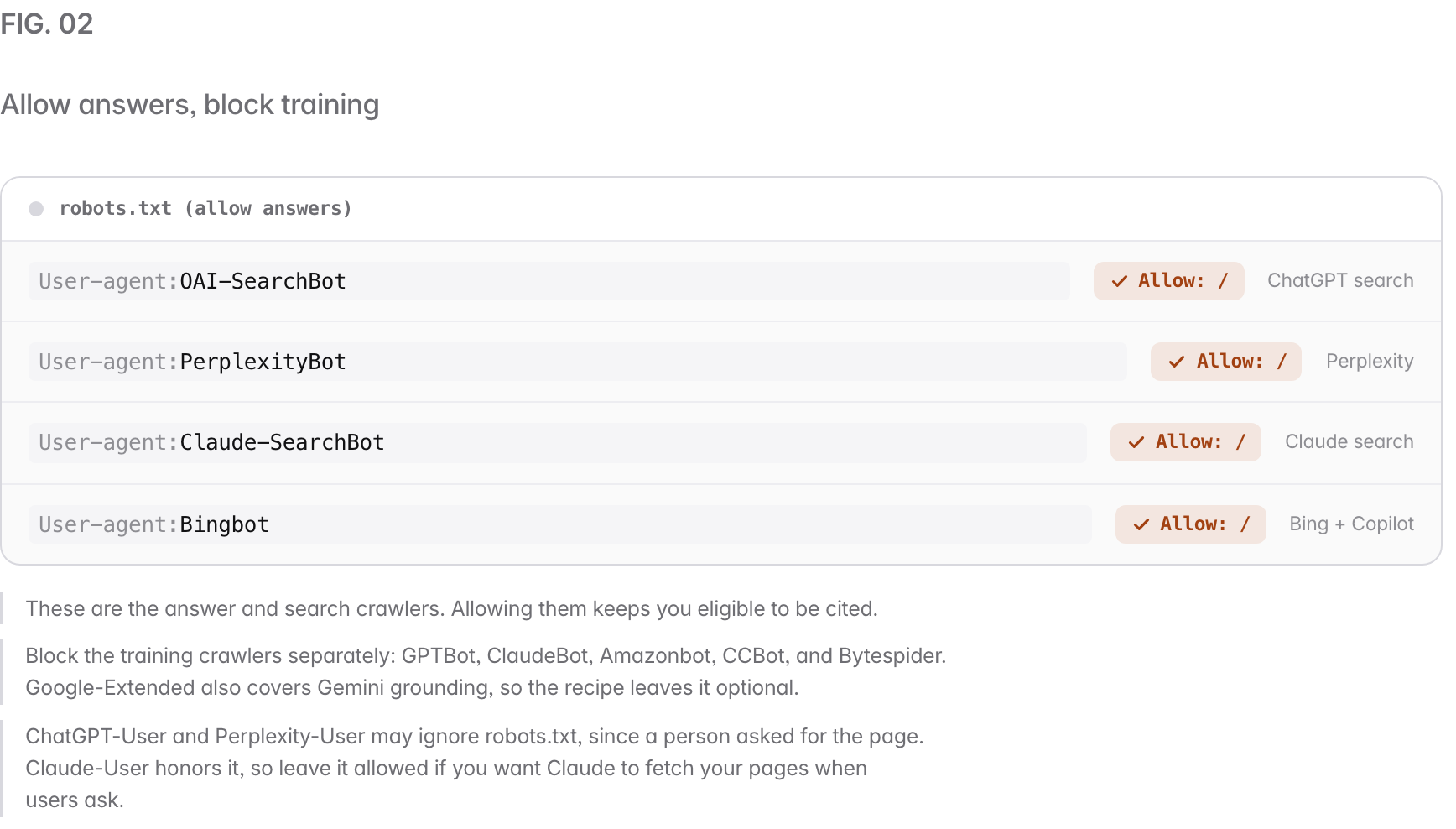
Recipe 2: block every documented AI crawler#
Use this to opt out of AI as far as robots.txt can take you. Note two caveats: user-triggered fetchers and undocumented crawlers may ignore it, and blocking Bingbot also removes you from Bing search and from Copilot, whose generative answers are grounded on the Bing index per Microsoft’s documentation, so this recipe leaves Bingbot and Googlebot alone.
# Block documented AI crawlers (classic search crawlers left alone)
User-agent: GPTBot
User-agent: OAI-SearchBot
User-agent: ChatGPT-User
User-agent: ClaudeBot
User-agent: Claude-SearchBot
User-agent: Claude-User
User-agent: PerplexityBot
User-agent: Perplexity-User
User-agent: Google-Extended
User-agent: Amazonbot
User-agent: CCBot
User-agent: Bytespider
Disallow: /
This recipe does not reach Google’s AI Overviews or AI Mode, which run on the Googlebot index. To leave those, set the Search generative AI control in Search Console to Exclude.
Recipe 3: allow everything#
The default. An absent or empty robots.txt already allows every crawler; this states it explicitly.
# Allow all crawlers
User-agent: *
Allow: /What does blocking each type actually change?#
The two blocks people confuse have opposite consequences, so it is worth seeing them side by side.
How do you verify a crawler is really who it says it is?#
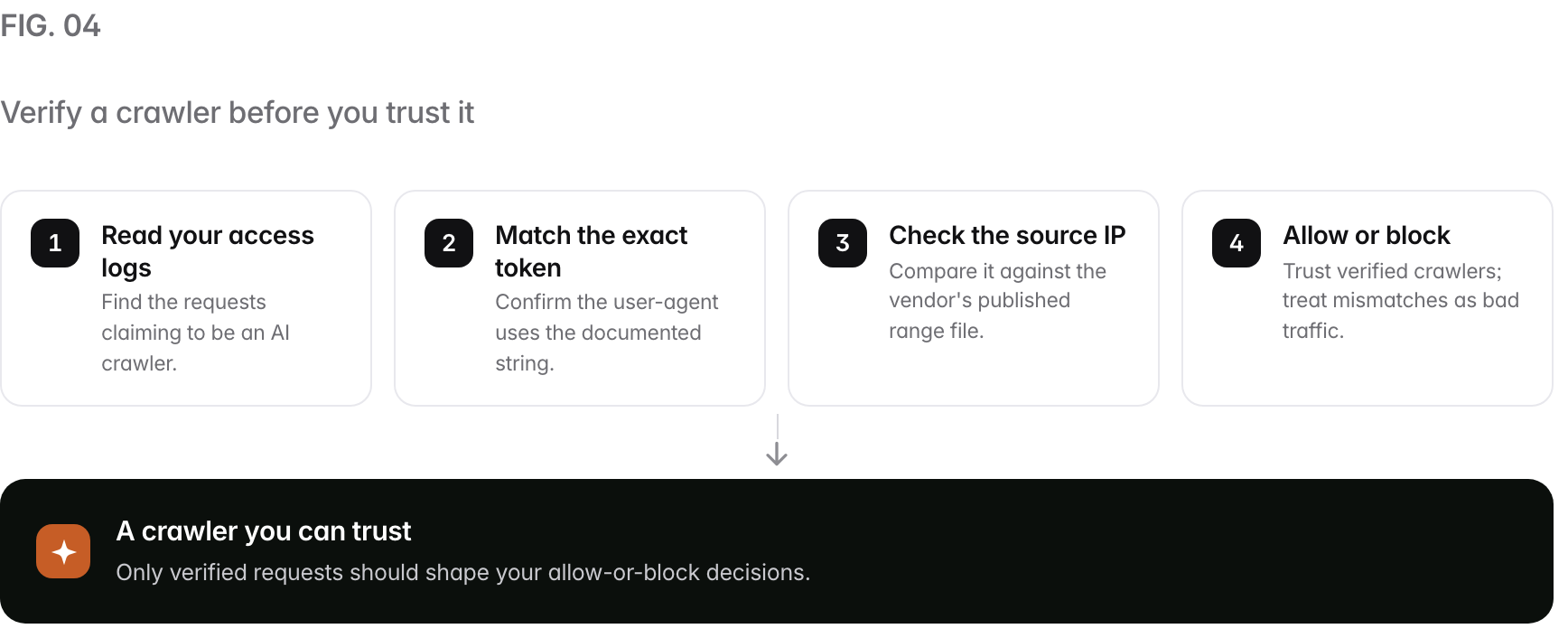
Because any request can claim any user-agent string, a spoofer can pretend to be GPTBot or PerplexityBot. The fix is to verify the source, not the label. Trust a crawler only when its exact token matches and its source IP falls inside the vendor’s published range.
The published range files are the reference: OpenAI at openai.com/gptbot.json (and sibling files for OAI-SearchBot and ChatGPT-User), Anthropic at claude.com/crawling/bots.json, Perplexity at perplexity.com/perplexitybot.json, and Amazon at developer.amazon.com/amazonbot/ip-addresses/. Common Crawl publishes CCBot ranges too. ByteDance publishes no official IP list for Bytespider, which is one more reason to treat it as low-trust and verify by behavior.
Do not look for Google-Extended in your logs. Google says it has no separate user agent string: crawling is done with Google’s existing user agents, and the Google-Extended token only works as a robots.txt control.
Common mistakes when controlling AI crawlers#
- Blocking answers when you meant training. A blanket
Disallow: /forUser-agent: *opts you out of AI answers along with everything else. Target training tokens instead. - Misspelling a token.
GPT-BotorPerplexity Botmatches nothing. Use the exact strings:GPTBot,PerplexityBot. - Assuming robots.txt stops user fetches. ChatGPT-User and Perplexity-User may ignore it. Use server controls if you need to stop them.
- Blocking Google-Extended to leave AI Overviews. It does not work; AI Overviews run on the Googlebot index. Google-Extended only governs Gemini training and grounding. The AI Overviews and AI Mode opt-out is the Search generative AI control in Search Console.
- Forgetting subdomains. robots.txt only covers its own host. Publish one on every subdomain you run.
- Trusting the user-agent label. Verify the IP; a spoofer can claim any token.
The crawler-control checklist#
You can run this in an afternoon.
- List the tokens you care about from the table above.
- Decide training versus answers, or both, before writing rules.
- Write the exact tokens, checking each spelling against the vendor doc.
- Keep answer crawlers allowed if you want citations.
- Publish robots.txt at the root of every host and subdomain.
- Verify with logs and IP ranges so spoofers do not fool you.
- Re-check quarterly, since vendors add and rename tokens.
How Prefer helps#
robots.txt decides whether AI engines can reach you; measurement tells you whether the change worked. After you adjust your crawler rules, the reliable way to see the effect is to monitor a set of target questions on a schedule and record when each engine cites you, across ChatGPT, Google AI Overviews, Perplexity, Claude, and Gemini, since each grounds on a different index. That cross-engine, honest measurement is what Prefer is built for (Claude on its Enterprise plan). To go deeper, read the glossary on GPTBot, the AI crawler, and llms.txt. Ready to see where you stand? Run a free AI visibility audit across all five surfaces today.
Sources#
Every token, purpose, and behavior claim above is drawn from the operators’ current documentation, accessed September 5, 2026, with later re-reads dated on each source. Where a vendor publishes nothing (Bytespider), that gap is stated as a gap.
- OpenAI bots (OpenAI): GPTBot, OAI-SearchBot, and ChatGPT-User purposes, robots.txt behavior, and IP range files. The navigational-link note for OAI-SearchBot read September 19, 2026.
- Does Anthropic crawl data from the web (Anthropic): ClaudeBot, Claude-SearchBot, Claude-User, and the bots.json IP list. What blocking Claude-SearchBot and Claude-User changes, and robots.txt compliance, read September 19, 2026.
- Perplexity Crawlers (Perplexity): PerplexityBot and Perplexity-User, including the note that Perplexity-User generally ignores robots.txt.
- Google crawlers and user-agents (Google Search Central): Google-Extended, its stated non-effect on Google Search, and its lack of a separate user agent string (read September 19, 2026).
- Search generative AI control (Search Console Help, read September 19, 2026): the setting that excludes a site from AI Overviews and AI Mode.
- Websites are blocking the wrong AI scrapers (404 Media, 29 July 2024): Anthropic’s statement that Claude-Web and anthropic-ai are no longer in use.
- Announcing user-agent change for bingbot (Bing Webmaster Blog): the Bingbot token.
- Amazonbot (Amazon): Amazonbot’s purpose, robots.txt compliance, and IP range file.
- CCBot (Common Crawl): the CCBot token and how to block it.
- Bytespider bot details (DataDome): independent reference for Bytespider, which ByteDance does not officially document.
People also ask